Onboarding & Orientation Information
Prepare For Your First Semester
Activate Your USC NetID
Your USC NetID – your official USC username and password — will allow you to log in to a variety of online tools and resources, including your university (usc.edu) e-mail account, the myUSC portal, and your online courses.
Access Your USC E-Mail
Within 2 days of activating your USC NetID, you will be able to access your @usc.edu student e-mail account through the myUSC student portal. Check your usc.edu email regularly for additional details regarding orientation and registration.
Complete Online New Student Orientation
All USC Suzanne Dworak-Peck School of Social Work students are required to complete the online student orientation course in order to begin their academic program.
This is a self-paced online new student orientation that will open and close at a certain date, which will be provided in an email that will be sent to students.
Please monitor your usc.edu email account for an email for additional details regarding orientation.
Complete Mandatory Degree Verification
If you have not already done so, complete mandatory degree verification by having official transcripts or official electronic transcripts submitted to the USC Registrar’s Office.
The fastest way to complete degree verification is to simply forward a copy of the electronic transcript from your degree-conferring school only to etrans@usc.edu. Reach out to your admissions advisor with any questions regarding this process.
Order Your USCard
Optional for Online/VAC Students
Your USCard is a physical USC student ID card which provides access to several on-campus services. Select "Get Your Card" on USCard Services to order your USCard.
USCard Services will mail your physical student ID card to the mailing address on your student record.
6. Check your Financial Aid Package
Visit your student portal at my.usc.edu and log in with your USC email address. Click “Financial Aid” then click “FAST (Financial Aid Summary and Tasks)”. FAST will track your progress in applying for Federal Financial Aid, completing Entrance Loan eCounseling, and signing your Master Promissory Note. Formal financial aid packages are posted to your student account.
Please contact the USC Financial Aid Office at 213.740.4444 should you have any questions regarding your FAFSA and federal loans. Any scholarships or stipends awarded from the USC Suzanne Dworak-Peck School of Social Work school will appear in FAST after you have been registered and billed for your courses. You can learn more about options for paying for your education (Including loans, scholarships, and stipends) on our website: dworakpeck.usc.edu/admissions/tuition-and-financial-aid
7. Verify or Waive Health Insurance
All students registered for 6 units or more will be automatically enrolled in the USC Student Health Insurance and the premium will be added to your USC fee bill. Students already enrolled in a comprehensive health insurance plan that meets USC’s insurance requirements will have the opportunity to request a waiver online by the deadline. For more information about coverage, premiums, and requesting a waiver, please go to: studenthealth.usc.edu/our-services/insurance-plan/
Online Learning Platforms
The USC Online Canvas platform is your student portal for Virtual Academic Center (VAC) courses.
The Brightspace Platform is your student portal for on-campus/hybrid courses.
Contact Information for Learning Platform Assistance:
USC Information Technology Services
Brightspace
Learning Technology Support
Class Locations

Online - Virtual Academic Center (VAC)
USC Online Canvas is your student portal for Online courses.
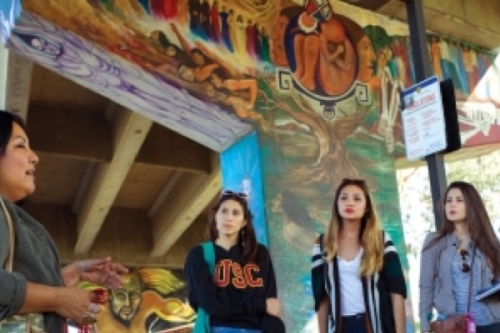
LA On Campus - UPC Academic Center
The USC Suzanne Dworak-Peck School of Social Work main campus is located in Los Angeles, CA.
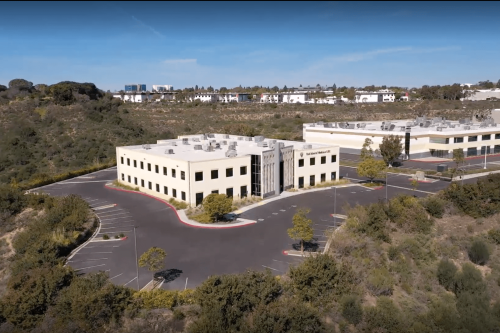
San Diego On Campus - Academic Center
The San Diego Academic Center hosts in-person classes for the USC Suzanne Dworak-Peck School of Social Work's MSW.